Label Roll Size Guide: Core, Diameter and Ribbon Fit
Most label rolls that come back to us are the right label on the wrong roll. Width and height are the two numbers everyone checks, and they are the two that rarely cause trouble. The trouble comes from the core, the outer diameter and the winding: a roll that will not sit on the media holder, a roll so large the door will not close, or a ribbon loaded with the ink facing the wrong way that prints nothing at all.
This label roll size guide explains the four measurements printed on every roll specification, shows which roll fits which printer, and covers how to pick a ribbon that matches the printer rather than the label. Every part number below is one we hold in stock.
Which label roll should you order?
| Your situation | Roll specification you need | Order this |
|---|---|---|
| Parcel labels from a desktop printer | 101.6 x 152.4 mm, 127 mm outer diameter, 25.4 mm core | Zebra Z-Perform 1000D 800284-605 |
| Parcel labels from a battery mobile printer | 101.6 x 152.4 mm, 56.9 mm outer diameter, 19 mm core | Zebra Z-Perform 1000D 3012913-T |
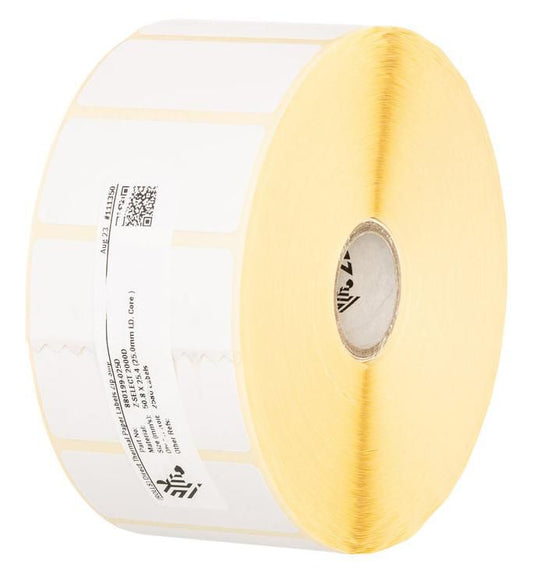
| Price and shelf labels, long runs between reloads | 51 x 25 mm, 127 mm outer diameter, 25.4 mm core, 2580 labels per roll | Zebra Z-Select 2000D 880199-025D |
| Thermal transfer labels on a desktop printer | Roll on a 25.4 mm core, plus a 110 mm x 74 m ribbon | Z-Select 2000T 3006322 with Zebra 2300 wax 02300GS11007 |
| Production runs on an industrial printer | Roll up to 203 mm outer diameter on a 76 mm core, 450 m ribbon | Zebra 2300 wax 02300BK11045 |
What the four numbers in a label roll size guide mean
A roll is described by four measurements, usually shortened to W, H, D and C in the product title.
| Code | Meaning | What it decides |
|---|---|---|
| W | Label width across the roll | Print width, and the minimum ribbon width |
| H | Label height, measured along the feed direction | Labels per roll and print time per label |
| D | Outer diameter of the full roll | Whether the media door closes, and how often staff reload |
| C | Inner diameter of the cardboard core | Whether the roll fits on the spindle at all |
W and H come from the job. D and C come from the printer, and that is where orders go wrong. A 127 mm roll on a 25.4 mm core is the desktop standard. A 58 mm roll on a 19 mm core is what fits a battery mobile printer. The labels can be identical 101.6 x 152.4 mm parcel labels in both cases, which is exactly why the wrong one gets ordered. Compare 800284-605 and 3012913-T in the table above: same label, different roll, not interchangeable.
Which core and roll diameter does your printer accept?
| Printer class | Maximum roll outer diameter | Core inner diameter |
|---|---|---|
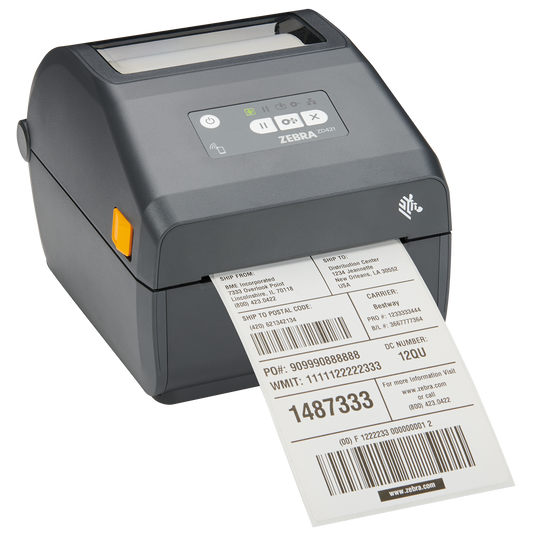
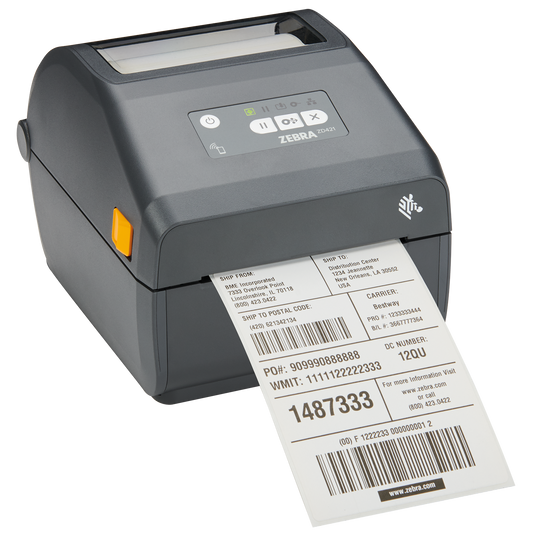
| Zebra ZD421 and ZD621, 4 inch desktop | 127 mm | 12.7 mm and 25.4 mm as standard, 38.1 mm, 50.8 mm and 76.2 mm with adapters |
| Zebra ZT231 industrial | 203 mm on a 76 mm core, 152 mm on a 25 mm core | 76 mm or 25 mm |
| Battery mobile printers, QL and ZQ series | About 58 mm | 19 mm |
Two practical points follow from that table. First, core adapters only work in one direction. They let a small core roll run on a larger spindle, so a 76 mm core roll will never go into a desktop printer, whatever you do to it. Second, outer diameter is a reload interval rather than a compatibility line, as long as you stay under the maximum. A 127 mm roll of 51 x 25 mm labels holds 2580 labels. The same labels wound to 76 mm hold roughly a third of that, which means three times the reloads for the same shift and three times the chance of someone loading the roll backwards.
Gap, black mark or continuous: why the printer will not calibrate
The printer has to find the start of each label. Three media types give the sensor three different things to look for, and the setting in the driver has to match the roll in the printer.
- Gap sensing. A transmissive sensor looks through the space between die cut labels. This is the default for ordinary labels on a liner, including 800284-605 and 800262-125.
- Black mark sensing. A reflective sensor looks for a printed black rectangle on the back of the liner. It is used where the stock is too opaque for light to pass through, and it is standard on many mobile printer rolls. Part 3003074 for the QL420 is a black mark roll.
- Continuous. No gaps and no marks. The printer feeds a length you define and a cutter or tear bar finishes the job. Linerless rolls such as 38-S100032-1031 work this way.
A printer set to gap sensing will run an entire black mark roll onto the floor looking for a gap it will never find. Before you write the roll off as faulty, set the media type, then run the calibration routine. Check the simple failure too: direct thermal paper is coated on one side only, so a roll loaded with the printable face down will calibrate normally and then print nothing.
How do you pick a ribbon that matches the printer?
Thermal transfer printers need a ribbon, and the ribbon is sized by the printer, not by the label. Three things have to line up.
Length and core. Desktop printers take short ribbons on a small core, industrial printers take long ribbons on a larger one. On the Zebra ZD421 the 74 m ribbon sits on a 12.7 mm core and the 300 m ribbon on a 25.4 mm core. The ZT231 runs up to 450 m on a 25.4 mm core. That is why 02300GS11007 and 02300BK11045 are both Zebra 2300 wax ribbon, both 110 mm wide, and still are not interchangeable: 74 m against 450 m, small core against large.
Width. The ribbon must be at least as wide as the printed label, and a few millimetres wider is better. A ribbon narrower than the label leaves an unprinted strip and cuts a wear line into the printhead along the ribbon edge, which is an expensive way to save two euros. For 101.6 mm labels, order a 110 mm ribbon.
Coating side. Ink is wound either facing out or facing in, and a printer built for one prints blank labels with the other. Zebra industrial printers such as the ZT231 use ribbon wound ink side out, which is why our ribbon titles state Out. If a roll is unmarked, press the sticky side of a label against the outside of the ribbon and pull it away. Ink on the adhesive means the coating faces out.
Grade is a separate choice from size. Wax such as Zebra 2300 suits paper labels in dry indoor use, wax/resin such as 3200 handles handling and moisture, and resin such as 5095 is for synthetic labels, chemicals and outdoor exposure. All three are stocked in matching widths in thermal transfer ribbons.
Common questions
Can I use a 76 mm core roll in a desktop printer?
No. Adapters increase the effective core size, they cannot reduce it. Order the same label on a 25.4 mm core instead, or move the job to an industrial printer.
Is a larger roll always cheaper per label?
Per label, usually yes, and the labour saved on reloads is the bigger part of it. The exception is slow moving stock: direct thermal paper darkens with heat, light and time, so a two year supply on one roll is a false economy.
What ribbon width do I need for 101.6 mm labels?
110 mm. Anything narrower than the label risks an unprinted edge and printhead wear. Going much wider than the label wastes ribbon without doing any harm.
Why does the printer eject two or three labels after every print?
Almost always a media type mismatch or a missed calibration. Set gap, black mark or continuous to match the roll, run the calibration, and only then look at the sensor position.
How do I tell a direct thermal roll from a thermal transfer roll?
Scratch the face of the label with a coin or a fingernail. Direct thermal paper leaves a dark line. Thermal transfer stock stays clean and needs a ribbon.
Does the core material matter?
Only for sizing. Cardboard cores can be crushed slightly out of round in transit, which makes a snug roll feel like the wrong size. Squeeze it back into shape before deciding the specification is wrong.
If you know the printer model, the roll follows from it. Our label rolls list W, H, D and C in every product title so you can match a specification without opening a datasheet, and ribbons are listed by width, length and coating side for the same reason. If you are still choosing the printer itself, the media limits above are the quiet constraint worth checking first in the label printer range. Manufacturer media limits for the industrial models are published in the Zebra ZT231 technical specifications.
Tags:
Previous
Mobile Terminal Total Cost of Ownership: 20 Units, 5 Years
Next
Card Printer Troubleshooting: Fix Fades, Jams and Encoding