Receipt Printer Special Characters: Fix õ, š, ł, ř Code Pages
The receipt prints, the total is right, and the product line reads "Kõrvits" as "K?rvits", "Łódź" as "?ód?" or "Příbram" as "P?íbram". Receipt printer special characters fail for one reason: the printer and the POS disagree about the code page. This walkthrough shows which code page each Baltic, Polish, Czech and Finnish receipt needs, how to set it on Epson and BIXOLON printers, and how to prove it works before the shop opens.
Which code page does your receipt need?
The values below are Epson's ESC t n numbers from the ESC/POS command reference, valid for the Epson TM-T88VII and TM-m30III. Letter coverage was checked against the standard tables.
| Your receipts are in | Set this code page | ESC t n | Hex | Euro sign |
|---|---|---|---|---|
| Estonian, Latvian or Lithuanian | WPC1257 (Baltic Rim) | 51 | 1B 74 33 | Yes |
| Mixed Baltic, Finnish and Polish text | WPC1257 (Baltic Rim) | 51 | 1B 74 33 | Yes |
| Polish or Czech | WPC1250 (Latin 2) | 45 | 1B 74 2D | Yes |
| Polish or Czech, old DOS based POS | PC852 (Latin 2) | 18 | 1B 74 12 | Check on test print |
| Baltic, old DOS based POS | WPC775 (Baltic Rim) | 33 | 1B 74 21 | Check on test print |
| Finnish only | WPC1257, or the default table | 51 or 0 | 1B 74 33 | Only with WPC1257 |
Two results surprise people. Windows-1257 also covers every Polish letter, so a shop printing Estonian and Polish names can stay on one table. Windows-1250 does not cover Estonian õ, the Latvian long vowels or Finnish å, so it is the wrong choice for anything outside Polish, Czech and Slovak.
Why do receipt printers get special characters wrong?
ESC/POS receipt printers do not read UTF-8 text by default. They read single bytes and look each one up in the active character code table. Out of the box the Epson TM-T88VII and TM-m30III use table 0 (PC437, US English). That table has ä and ö, which is why Finnish receipts often look fine, but it has no š, ž, ł, ř or õ. Any byte above 127 is printed as whatever symbol table 0 has in that position, or as a question mark if the software already replaced it.
So there are always two sides to fix: the table selected in the printer, and the encoding the POS uses to turn text into bytes. Both must name the same code page.
How do you set the code page on the printer?
There are three ways, and the right one depends on your software.
- In the POS application. Most POS and cash register software that prints raw ESC/POS has a printer profile with a "code page" or "character table" field. Set it there first. The software then sends the ESC t command and encodes the text itself.
-
With a command at the start of each receipt. If you write your own integration, send
1B 74 33(WPC1257) or1B 74 2D(WPC1250) after the initialise command and before the text. Epson states that the selected table stays active only until ESC @ is executed, the printer is reset or the power is switched off. A printer that prints correctly in the morning and wrongly after a power cut was given the table once, not on every receipt. - As a stored default. Many printers let you store default settings in the printer with the manufacturer's utility (Epson TM Utility for Epson, the BIXOLON utility for BIXOLON). If your model offers a default character table there, set it, but still let the software send ESC t, because an ESC @ from another program can reset it.
On BIXOLON printers such as the BIXOLON SRP-350plusV (SRP-350PLUSVK/BEG), the ESC t command is used the same way, but take the n value from BIXOLON's own command manual for that model. Do not assume the numbering matches Epson's.
What does a correct integration look like?
For developers, the pattern is short. In Python, with the printer on a raw TCP socket (port 9100 is the usual raw printing port on network receipt printers):
import socket
data = b"\x1b\x40"            # ESC @  initialise
data += b"\x1b\x74\x33"       # ESC t 51  WPC1257
data += "Kõrvits, Rīga, Šiauliai, Łódź, 12,50 €\n".encode("cp1257")
data += b"\n\n\n\x1d\x56\x00" # feed and cut
s = socket.create_connection(("192.168.1.50", 9100)); s.sendall(data); s.close()
The order matters. ESC @ resets the table to the default, so ESC t must come after it. And the text must be encoded with the matching codec: cp1257 for WPC1257, cp1250 for WPC1250, cp852 for PC852. Sending UTF-8 bytes to a printer on WPC1257 prints two wrong symbols for every special letter, which is the classic sign of an encoding mismatch.
Which letters does each code page actually cover?
| Language | Letters to test | WPC1257 | WPC1250 |
|---|---|---|---|
| Estonian | õ ä ö ü š ž | All | Missing õ |
| Latvian | ā č ē ģ ī ķ ļ ņ š ū ž | All | Missing ā ē ģ ī ķ ļ ņ ū |
| Lithuanian | ą č ę ė į š ų ū ž | All | Missing ė į ų ū |
| Polish | ą ć ę ł ń ó ś ź ż | All | All |
| Czech | á č ď é ě í ň ó ř š ť ú ů ý ž | Missing á ď ě í ň ř ť ú ů ý | All |
| Finnish | ä ö å | All | Missing å |
Check capitals too. A header line like "ŠIAULIAI" or "ŘEZNICTVÍ" uses different byte values from the lower case letters.
How do you test the code page before going live?
- Run the self-test. Hold Feed while switching the printer on. The status page shows the firmware and settings, and on the TM-m30III and BIXOLON SRP-350plus series a short press of Feed continues with the built-in character print. This proves the printer, not the integration.
- Print a test receipt from the POS containing every letter from the table above for your language, in lower and upper case, plus the euro sign and a price with a decimal comma.
- Power cycle the printer and print the same receipt again. If it breaks after the restart, the software is not sending ESC t on each job.
- Print from every program that uses the printer. A second app (a booking system, a kitchen display or a label tool) that sends ESC @ can silently reset the table for the next receipt.
When should you print as a graphic instead?
If the POS prints through a Windows driver, such as the Epson Advanced Printer Driver, the driver can render the receipt as an image using a Windows font. Code pages then do not matter, and any language prints correctly. The trade-off is speed and a larger data stream, which you notice on long receipts and on serial connections. For an older POS with no code page setting, a driver based setup is often the only clean fix. For fast tills, raw ESC/POS with the right table is quicker.
Common questions
Why does my receipt printer print question marks instead of š or ł?
Either the software replaced the letter with ? because its code page has no such character, or the printer is on table 0. Set WPC1257 for Baltic receipts or WPC1250 for Polish and Czech, in the POS or with ESC t.
Why do I get two strange symbols for every special letter?
The software is sending UTF-8, which uses two bytes for each of these letters, while the printer expects a single-byte code page. Change the software's encoding to match the table.
The letters were right yesterday and wrong today. What changed?
The printer was restarted or received ESC @, which returns it to the default table. Make the POS send ESC t at the start of every receipt.
Which single code page works for Estonian, Latvian, Lithuanian, Polish and Finnish?
WPC1257 (ESC t 51 on Epson). It covers all five plus the euro sign. Czech needs WPC1250.
Does the euro sign print on PC852?
The standard DOS 852 table has no euro sign, so test it on your printer. Windows-1250 and Windows-1257 both include €.
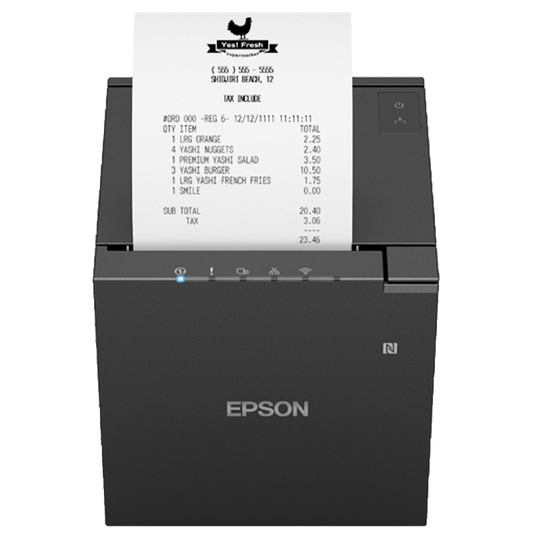
For a new till, compare current models in our POS receipt printers range, such as the Epson TM-T88VII (C31CJ57112) with USB, serial and Ethernet, or the compact Epson TM-m30III. Rolls are in thermal paper, and cables and stands in POS printer accessories.
Tags:
Previous
Barcode Scanner Interface: USB HID vs COM vs RS-232 vs Bluetooth
Next
Zebra Ribbon Part Numbers Decoded: 02300BK11045 Explained