Receipt Rolls: Which Size and Grade Fits Your Printer
A box of receipt rolls arrives, the roll drops into the printer, and the lid will not close. Or it closes, prints fine for two days, then runs out halfway through a Saturday because nobody checked how much paper was on the roll. Receipt rolls look like a commodity until you order the wrong ones for forty tills. Three numbers on the box decide whether a roll fits: paper width, roll outer diameter and core diameter. This guide matches receipt rolls to the printers we sell, gives the part numbers, and says which paper grade to order when the receipt has to survive longer than a week.
Which receipt rolls should you order for your printer?
Start here. Every row is stock we list, with the manufacturer part number in brackets.
| Your situation | Order this |
|---|---|
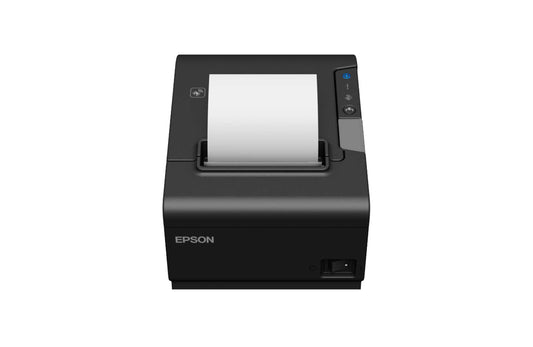
| 80 mm counter till printer (Citizen CT-S310II, Bixolon SRP-350plusV, Epson TM-m30III) | Any 80 mm roll up to 83 mm outer diameter. For maximum uptime between changes, order the largest diameter the bay allows rather than the cheapest box |
| 58 mm receipts at a kiosk, bar or card terminal | Zebra Z-Perform 1000D 60, 58 mm width, 40 mm diameter, 12.7 mm core (3013689) |
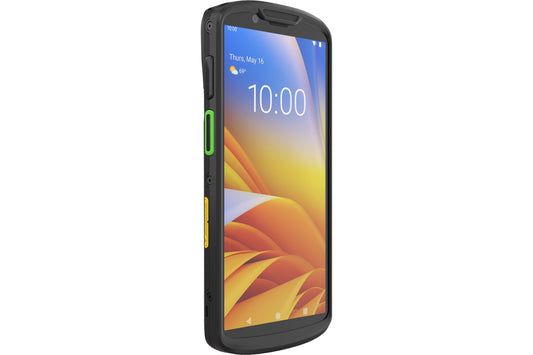
| Zebra ZQ511 mobile printer, 80 mm receipts in the field | Z-Perform 1000D 60, 80 mm, 40 mm diameter, 12.7 mm core (3013286) |
| Zebra ZQ521, 4 inch delivery notes from a van | Z-Perform 1000D 60, 101.6 mm width, 57 mm diameter, 19 mm core (3004596) |
| Receipts that must stay readable for years: delivery confirmations, service records, warranty slips | Zebra 8000D 10 Year Receipt, 101.6 mm, 57 mm diameter, 19 mm core (3006419-T) |
| Kiosk or unattended printer with a deep roll bay | Z-Select 2000D 60, 80 mm, 150 mm diameter, 25.4 mm core (01942-080Z), or Z-Perform 1000D 80, 101.6 mm, 127 mm diameter, 25.4 mm core (800440-314) |
| Impact or dot matrix printer in a kitchen or back office | Epson plain paper roll, 80 mm (C33S045389). Thermal paper will print nothing in an impact printer |
What do the three numbers on a receipt roll actually mean?
Every roll is described by three measurements, always in the same order in our catalogue: width, outer diameter, core.
Width is the paper itself, not the printed area. An 80 mm printer takes paper that is nominally 80 mm wide, and manufacturers quote it with a tolerance. Epson, for example, specifies 79.5 mm plus or minus 0.5 mm for the TM-m30III. That tolerance is why a roll cut at 82 mm by a cheap converter jams against the side guides even though the box says 80 mm.
Outer diameter is the size of the full roll, and it is the number that gets ignored. It decides both whether the lid closes and how long the roll lasts. A 40 mm roll and a 150 mm roll can both be 80 mm wide, but the second holds several times the paper.
Core diameter is the hole in the middle, usually 12.7 mm, 19 mm or 25.4 mm. Too small and it will not slide onto the spindle of a spindle-fed printer, too large and the roll feeds unevenly. Drop-in bay printers, which covers most modern counter models, are forgiving about the core but still strict about diameter.
Why does the roll fit the bay but the lid will not close?
Because the roll is bigger than the printer's maximum diameter. Manufacturers publish that figure, and it varies far more than buyers expect, particularly once mobile printers are involved.
| Printer | Paper width | Maximum roll diameter |
|---|---|---|
| Epson TM-m30III | 79.5 mm or 57.5 mm | 83 mm (core 18 mm) |
| Citizen CT-S310II | 80 mm or 58 mm | 83 mm |
| Bixolon SRP-350plusV | 80 mm, 58 mm optional | 83 mm |
| Zebra ZQ511 (mobile) | 35 mm to 80 mm | 51 mm |
| Zebra ZQ521 (mobile) | 50.8 mm to 113 mm | 57 mm |
Two conclusions. A desktop till printer that accepts an 83 mm roll will never take the 127 mm or 150 mm kiosk rolls, whatever the price per metre looks like. And mobile printers are the opposite problem: a ZQ511 tops out at 51 mm, so the 40 mm rolls look small but are the correct part. Order counter rolls for a fleet of ZQ511 units and none of them will close.
Thickness matters too. Bixolon specifies 0.05 mm to 0.08 mm for the SRP-350plusV, and thicker stock means fewer metres in the same diameter, which is why two rolls of identical dimensions can give different receipt counts.
What does the number after 1000D mean on Zebra receipt paper?
It is the caliper of the paper in microns, not the width. Z-Perform 1000D 60 is a 60 micron paper and Z-Perform 1000D 80 is an 80 micron paper. Zebra's specification sheet describes the 1000D 60 as a 55 gsm matte white uncoated direct thermal paper at 60 microns plus or minus 5 per cent.
| Grade | What it is | Use it for |
|---|---|---|
| Z-Perform 1000D 60 | 60 micron economy direct thermal | High volume everyday receipts, mobile printing, coupons |
| Z-Perform 1000D 80 | 80 micron direct thermal, stiffer and more opaque | Receipts that get handled, folded and filed, and kiosk output |
| Z-Select 2000D 60 | Premium direct thermal top coat | Unattended and kiosk printers where a jam means a service call |
| 8000D 10 Year Receipt | Archive grade direct thermal | Anything filed against a claim: proof of delivery, service records |
The honest trade-off: for an ordinary shop till where the customer bins the receipt in the car park, the economy grade is fine and the money is better spent on a larger diameter roll so staff change paper less often. Pay for the thicker or archive grade only where the paper has a second life in a folder.
How long does a thermal receipt stay readable?
Less time than most people assume, and the storage conditions matter more than the paper grade. Zebra's specification sheet for Z-Perform 1000D 60 quotes up to one year for standard indoor use and up to five years for indoor archive storage, with images remaining legible for up to ten years when the print is at optimum density and the receipt is handled and stored correctly. Correctly means 18 to 24 degrees Celsius, 40 to 60 per cent relative humidity, in the dark, away from UV.
What actually destroys receipts in practice:
- Plasticisers. A receipt stored in a soft PVC wallet or pressed against a plastic folder will fade from the contact area outwards.
- Solvents and adhesives. Taping a receipt into a ledger with the wrong tape bleaches the print under the tape.
- Heat and sunlight. A glovebox in summer is the fastest way to turn a delivery note into a blank strip.
- Low print darkness. A faint print has no margin left for ageing. If receipts look grey, raise the density setting before blaming the paper.
If a receipt has to be produced for an audit or a warranty claim later, either order the archive grade or accept that the real record is the digital one in your POS or accounting system. Most businesses are better off fixing the digital record than paying for archive paper on every till.
Is your receipt paper still legal? BPA, BPS and phenol-free
Bisphenol A has been restricted in thermal paper across the EU since 2 January 2020. The restriction, added to REACH Annex XVII by Commission Regulation (EU) 2016/2235, bars thermal paper containing BPA at 0.02 per cent by weight or more from the market. Any roll bought new from a reputable EU supplier complies.
Most producers moved to bisphenol S. That is legal, and it is also the reason "BPA free" on a box tells you less than buyers think. A wider EU restriction covering several bisphenols, including BPS, has been signalled: Germany submitted a restriction intention in April 2026 covering BPA, BPS, BPF, BPB and BPAF across sectors including thermal paper, with the formal dossier expected in 2027. Nothing is in force yet. If your organisation wants to be ahead of that, the specification to ask for is phenol-free rather than BPA free, which usually means a physically developed blue image paper instead of a leuco dye system.
When should you not use thermal paper at all?
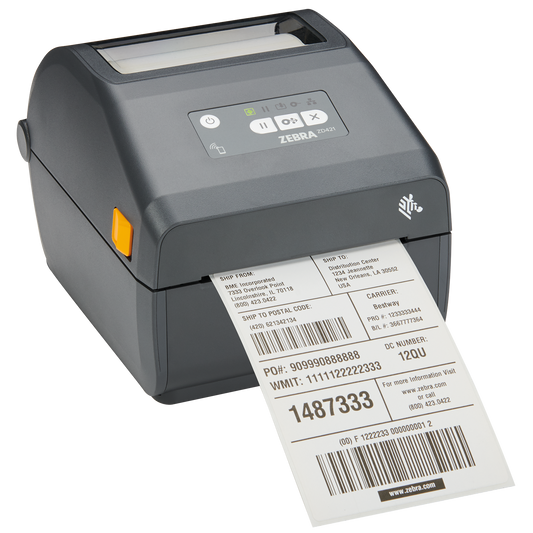
Kitchen printers and multi-station back office printers are often impact devices, not thermal ones. They need plain paper rolls and an ink ribbon, and that is the point: thermal paper next to a grill turns black. Our plain paper rolls, the 80 mm Epson C33S045389 and the 101.6 mm C33S045390, are for these printers. Not sure which you have? Open the lid: a thermal printer has a flat head and no ribbon cartridge.
Common questions
Can I use 57 mm rolls in an 80 mm printer? Physically yes on most counter printers, because the paper guide can be moved and the printer told to use the narrow width. Epson, Citizen and Bixolon all support a 58 mm setting. Do not do it by accident: if the printer is still configured for 80 mm, the layout will be cut off on the right.
Why do two "80 mm x 80 mm" rolls give different receipt counts? Paper caliper. A 60 micron paper fits more metres into the same diameter than an 80 micron paper. Compare the length in metres on the box, not the diameter.
Does core size matter on a modern printer? Less on drop-in bay printers, but a core that is too small can wedge on the guide posts and one that is too large lets the roll wobble, which shows up as skewed print and early paper-out errors.
My receipts print faintly after a year. Is the paper bad? Check the print head first. A head coated in paper dust and adhesive residue prints grey even with perfect paper. Clean it with a cleaning pen or isopropyl alcohol, then raise the density setting one step. Only then suspect the media.
Are cheap unbranded rolls a false economy? Not always. For a low volume shop till, unbranded paper cut to the right dimensions is fine. The risk is abrasive stock wearing the print head, which is why we keep branded media on the shelf for high duty cycle and unattended printers.
How many rolls should I hold in stock? Zebra quotes about six months of storage in the wrapper at 18 to 25 degrees Celsius and 40 to 60 per cent relative humidity, so a quarter's supply plus the December peak is sensible and a year's is not.
Order receipt rolls by all three numbers and the grade, not by the width alone. Our full range of thermal paper and receipt rolls lists width, diameter and core in every product title, so you can match them against the printer's specification before you buy. If you are replacing the printer as well, the POS receipt printers and mobile receipt printers ranges show the media each model takes, and cleaning pens, spare platen rollers and power supplies sit in POS printer accessories.
Tags:
Previous
Which Label Printer for Which Job: A Buyer's Shortlist
Next
GPSR Labelling Requirements: What to Print and On What